
Sprites Aren't Going Anywhere: What Override Means for Your Collection
Epic confirmed a new generation of Sprites and the Sprite Garden for Season 4 Override. What survives the flip, what resets, and what to do before August 19.
Sprites are not dying with the season. Epic said so themselves, in an official Communities post: "Sprites are back in the next Battle Royale season: Override," with new powers, new variants, and quality-of-life changes built from player feedback. That settles the question this community has been chewing on since the Runners season started winding down.
Here's what's confirmed, what it means for your collection, and what you should do before August 19.
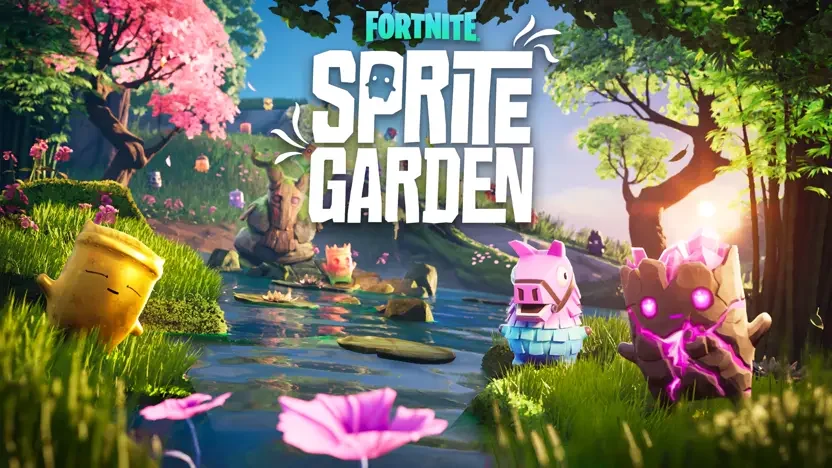
Image: Epic Games - key art from the official Sprite Garden announcement.
What Epic actually announced
Season 4, called Override, starts August 20. The sprite news breaks down like this, all from the official post:
Image: Epic Games - Season 4 Override announcement art, via Vice's coverage.
- A new generation of Sprites arrives with Override. New powers, new variants. This is not the current roster with a fresh coat of paint; it's a second wave.
- The Sprite Garden is coming. Epic's words: sprites collected in Runners "will be immortalized in the new Sprite Garden - an island getaway where you can play with your Sprites, visit friends' garden sanctuaries, and showcase your entire collection." It's a social island built with UEFN creators, and Insider Gaming reports new Season 4 catches get added to your Garden as you collect them.
- Your current sprites become unlocked styles in the Sprite Mastery Pod and pilots in the Guardian Outfit, and they stay on your Sprite Collection page next to the new generation. Nothing you've mastered gets wiped.
- Old sprites "may return down the line, offering another shot to add them to your roster." May. Not will. If you're missing a variant you care about, treat these last two weeks as the reliable window and anything after as a maybe.
- Five community-designed Sprites land mid-season, picked from over 20,000 contest submissions.
- One line that matters more than it looks: "your Gizmos and Sprite Dust will reset when the season ends." Dust does not carry over.
The checklist before August 19
- Spend your Sprite Dust. All of it. Resummon the sprites you lost, level the ones you're close on - a dust balance on August 20 is a zero.
- Master what you can. Mastery is permanent and it's what unlocks Pod styles and Garden immortality. An owned-but-unmastered sprite gets you less after the flip.
- Hunt your missing variants now. "May return down the line" is not a plan. Our farming routes still work and the crystal chest locations haven't moved.
- Mark your index. Whatever you're at when the season ends is the number your Garden and your Pod will show forever.
The strongest claim we'll make: mastery, not ownership, is what survives season transitions. That was true when the Mastery Pod shipped and Epic's Garden announcement doubles down on it. If you have to choose between grabbing one more new sprite and mastering one you already own, master.
What this means for Quackadex
Short version: your index just became a permanent record instead of a seasonal one.
When Override drops, the new generation gets added to the catalog the same way Ironmouse and the Gems did - synced from the game, checked by a human, live the same day. Current sprites don't get deleted or archived into some legacy tab; they stay right where they are, because Epic keeps them on your collection page and so do we. Our totals are computed, never hardcoded, so a second generation is just more rows - the grid grows a column or a section and every percentage recalculates itself.
And we're not waiting for August 20 to find out what changes. A revamp is already in the works so the site is ready for whatever Epic throws at us on day one - starting with season selection, so the tracker opens catered to the latest generation while your Runners collection stays one tap away instead of buried. New generation, new grid, same permanent record.
The Sprite Garden is Epic's showcase for your collection. Ours already exists: share links that unfurl with your real numbers, the leaderboard, comparing collections with any player by display name, and direct trading with per-sprite handoff confirmations and trader rep. When the Garden ships, your Quackadex index is the checklist that tells you what's actually in it.
If you've been tracking all season: you're set, and your Runners-era numbers are about to become a badge nobody can take away. If you haven't started, now is genuinely the moment - log what you own this week, while every current sprite is still catchable, and walk into Override with a clean baseline.
We'll publish a day-one breakdown of the new generation when Override launches. The extraction rig is warmed up.
Track your sprite collection
Quackadex records what you own and what you've mastered across every sprite and variant, and works out what's left. Open the tracker — free, no download.
Related reading
- Boosted Bounty Hunter Sprites Are Live!
- Boosted Bounty Hunter Sprites This Power Hour
- Fortnitemares 2026: Everything Else That's New Beyond the Sprites
- Fortnitemares 2026 Sprites: Trick or Treat, Vampire, Deer and the Rest
- The Horror Is Here – New Threats on the Island
- Bounty Hunter Sprites Unleashed — Hunt ‘Em Down!